ClaudeMDEditor
The CLAUDE.md editor for all your AI coding assistants.
Manage AI coding assistant configuration across all your projects. Your cursor rules manager, copilot instructions manager, and windsurf rules editor — all in one app.
The Problem
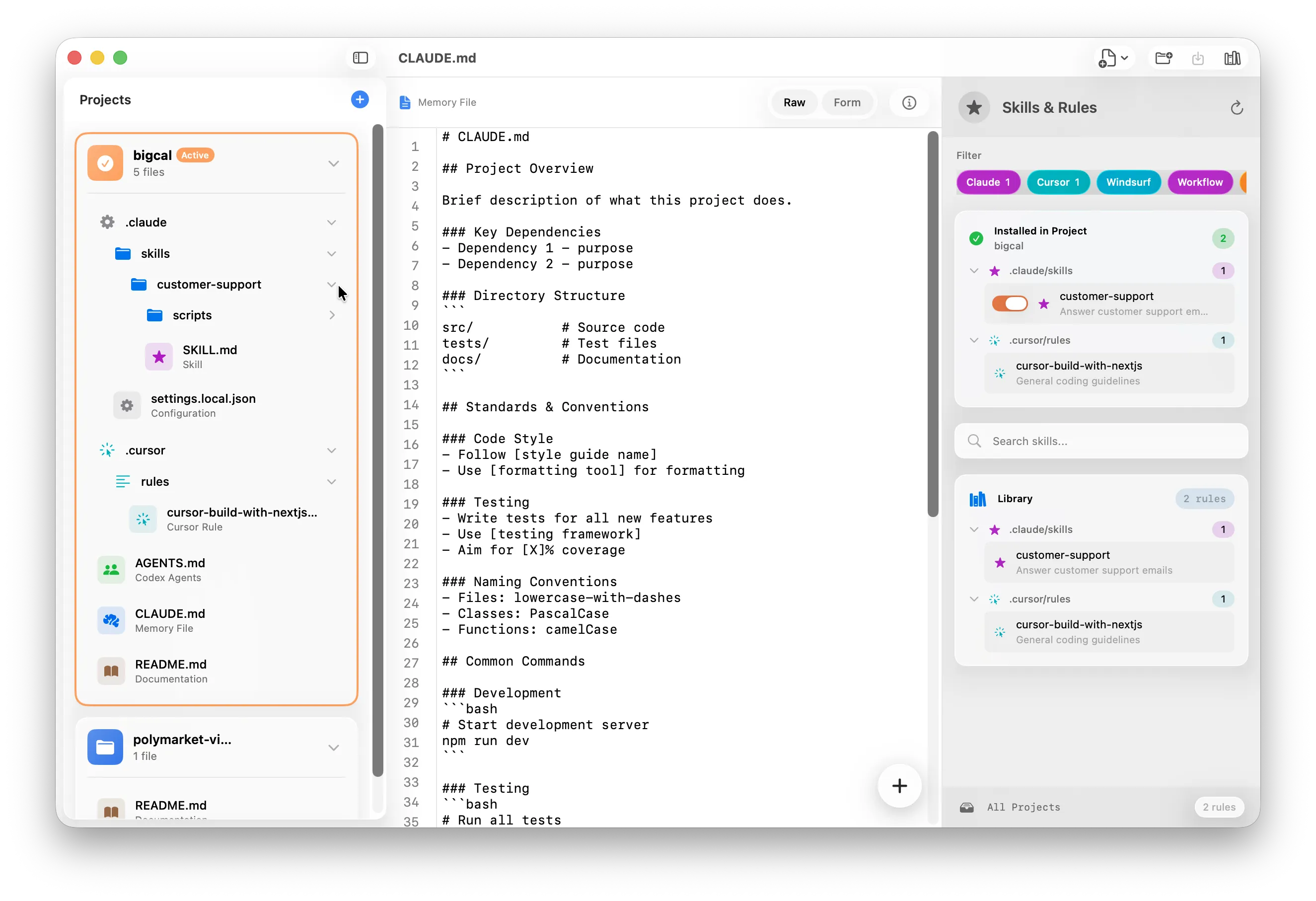
Every AI coding tool has its own config format. Claude Code memory files, cursor rules, copilot-instructions — AI agent configuration scattered across projects gets messy fast.
The Solution
One visual editor for all your AI agent rules. Browse, organize, and sync multi-project AI rules across every repo — no terminal juggling. Perfect for vibe coding setup.
Project Manager
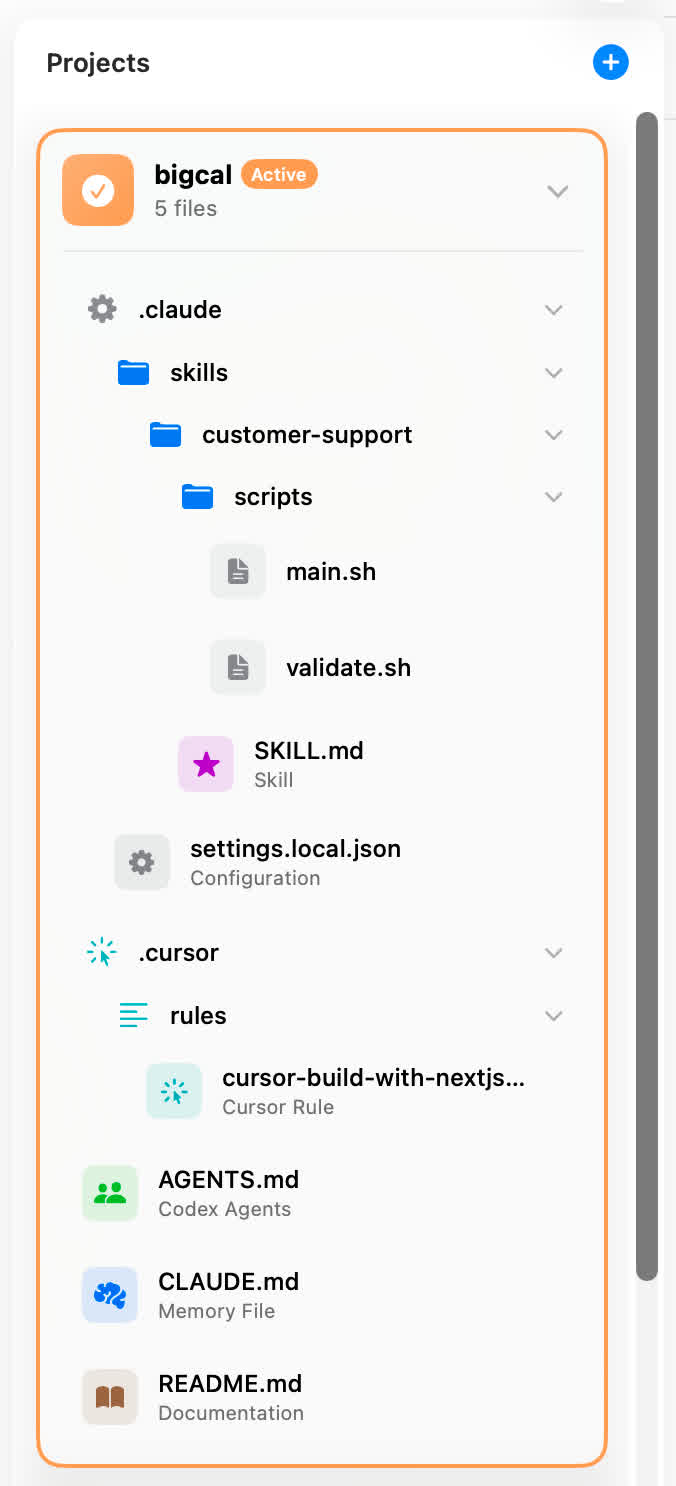
Claude Code project setup made easy. Auto-finds all AI config files across repos.
Templates & Snippets
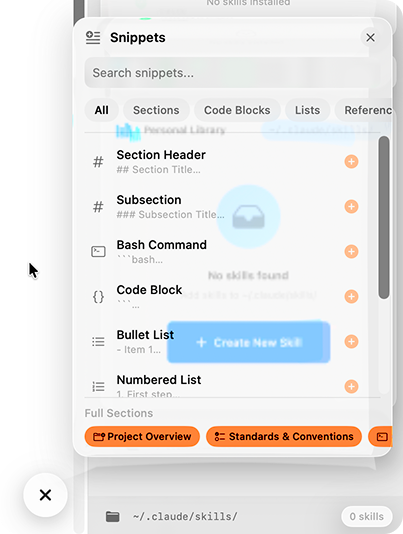
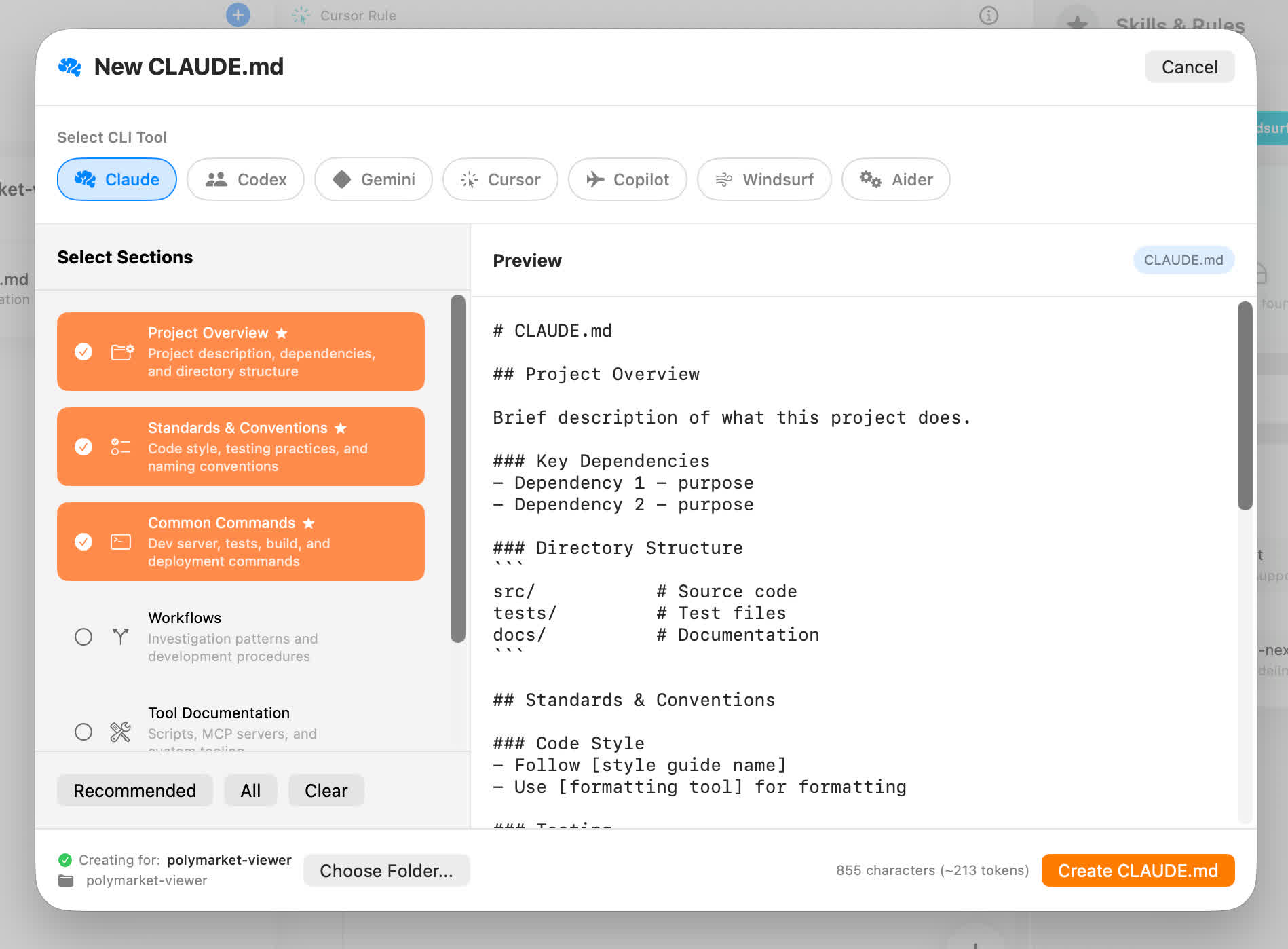
Pre-made sections for project overviews, coding standards, and workflows. Jump-start your vibe coding setup.
Skills & Rules Builder
Build AI agent rules visually. Create cursor rules, Claude Code skills, and windsurf workflows — the wizard walks you through it.
Skills & Rules Library
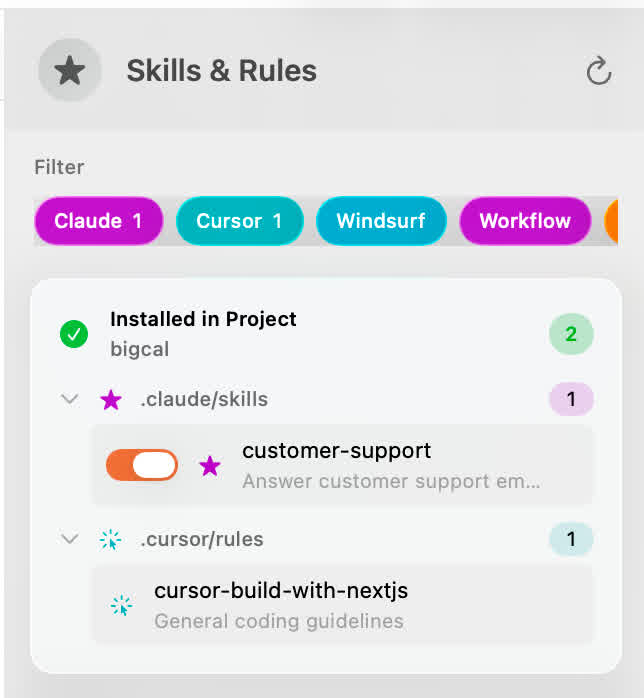
Your unified cursor rules editor and copilot instructions manager. Enable or disable per project. Install multi-project AI rules across all your repos.
Two Editor Modes
Form mode for easy editing. Raw mode when you want full control.
Smart Inspector
See exactly what the AI reads — headers, code blocks, structure.
Validation
Catches errors in your files before your AI assistant sees them.
Before & After
What It Handles
Every AI coding assistant configuration format in one place — Claude Code memory files, cursor rules, copilot instructions, windsurf rules, and more.
Frequently Asked Questions
One CLAUDE.md editor for all your AI coding assistant configuration. Manage everything here.
Get ClaudeMDEditor — $13Changelog
- Auto Updater Fixed — The auto updater has been fixed. Users with older versions should manually update. Download here
- Multi-CLI Tool Support — Claude Code, OpenAI Codex, Gemini, Cursor, Copilot, Windsurf, Aider with dedicated templates and smart file detection
- Unified Skills & Rules Library — Manage Claude Skills, Cursor Rules, Windsurf Rules & Workflows, Copilot Instructions with filter pills and install/uninstall
- File Management from Sidebar — Add new MD files and skills, delete files with context menu
- UI/UX Improvements — Improved Liquid Glass styling, collapsible rule groups, fixed panel layouts
- Bug Fixes — Fixed snippet panel layout, license entry view, various build updates
- Initial release